
Outdated technology is not just an inconvenience. It is a direct threat to your competitive position, your security posture, and your bottom line. UK corporate leaders who delay strategic IT upgrades often find themselves locked into inefficient workflows, rising maintenance costs, and growing vulnerability to cyber threats. Businesses that fail to update critical technology risk significant competitive losses in an increasingly digital market. This guide walks you through a proven, step-by-step process to plan, execute, and verify a technology upgrade that actually delivers results.
Table of Contents
- Assess your current technology landscape
- Set clear upgrade goals and success criteria
- Explore upgrade options and select the right solutions
- Develop your phased rollout plan
- Address security and compliance in every phase
- Verify success and ensure ongoing improvement
- Partner with experts for seamless technology upgrades
- Frequently asked questions
Key Takeaways
| Point | Details |
|---|---|
| Map technology first | Start with a detailed inventory and gap analysis before any upgrade. |
| Align goals and team | Define clear upgrade outcomes and get buy-in from every stakeholder. |
| Pick the right solutions | Compare cloud, hybrid, and on-premises IT for best fit and security. |
| Plan phased rollout | Staged implementation minimizes risk and supports user adoption. |
| Build in security | Cybersecurity and compliance must be integrated at every upgrade step. |
Assess your current technology landscape
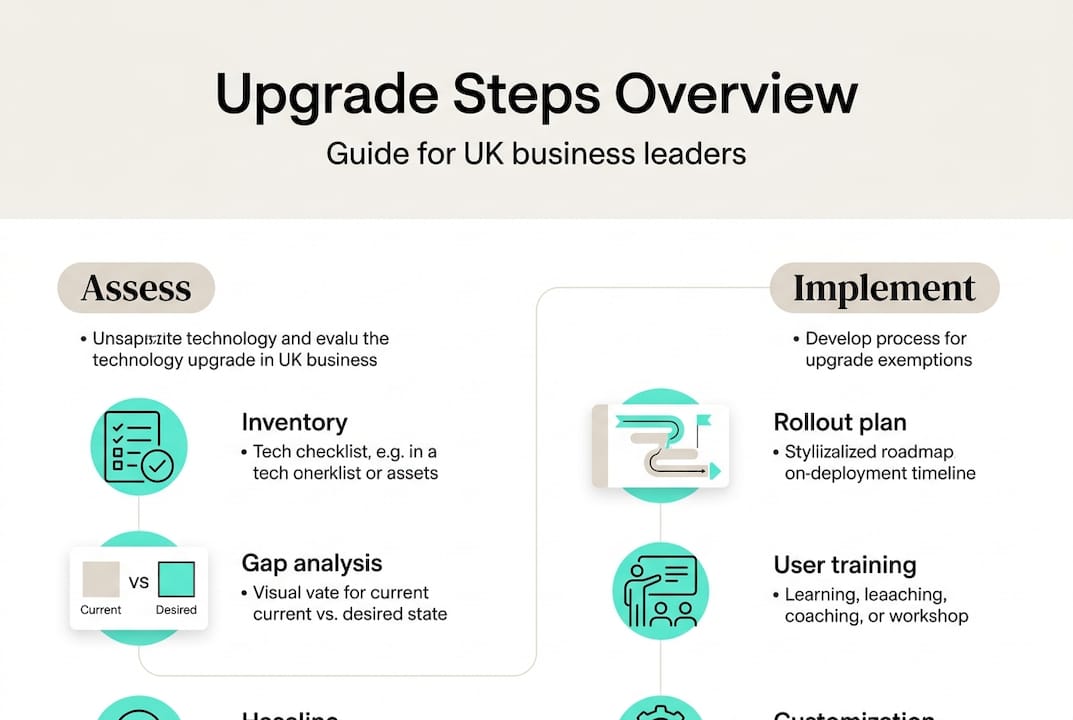
Before you can upgrade anything, you need a clear picture of what you are working with. Many organizations skip this step and end up investing in solutions that do not address their real problems. A thorough IT audit is the foundation of every successful upgrade.
Analyzing your current IT environment enables targeted, cost-efficient upgrades rather than expensive guesswork. Start by building a complete inventory of your hardware, software, and network assets. Then layer in a security gap analysis and a workflow pain point map.
Here is what your audit should cover:
- Hardware: Age, performance benchmarks, and end-of-life status for all physical devices
- Software: License status, version currency, and integration compatibility
- Network: Bandwidth capacity, firewall configurations, and redundancy provisions
- Security: Vulnerability scan results, access control policies, and patch history
- Workflows: Bottlenecks, manual workarounds, and user-reported friction points
Understanding your IT infrastructure options at this stage helps you match solutions to actual gaps rather than perceived ones.
| Audit area | Key questions to answer | Priority level |
|---|---|---|
| Hardware inventory | What is past end-of-life? | High |
| Software licensing | What is unsupported or redundant? | High |
| Security posture | Where are the critical vulnerabilities? | Critical |
| Network performance | Where are the bottlenecks? | Medium |
| User experience | What slows teams down daily? | Medium |
Pro Tip: Involve both IT staff and frontline business users in the audit. IT sees the technical gaps; business users see the operational ones. You need both perspectives to build an accurate picture.
Set clear upgrade goals and success criteria
Once you have mapped your existing environment, the next step is defining what you actually aim to accomplish with your tech upgrade. Vague goals produce vague results. Specific, measurable objectives keep projects on track and give you a clear way to declare success.
Digital transformation initiatives increase enterprise efficiency by up to 40% when goals are clearly defined and pursued with discipline. That is a significant return, but only if you know what you are measuring.
Your goal-setting process should address:
- Efficiency targets: Define the specific productivity gains you expect, such as reducing ticket resolution time by 30% or cutting manual reporting hours in half
- Cost benchmarks: Set a target for IT spend reduction or cost-per-user improvement over 12 months
- Security outcomes: Specify the reduction in incidents, vulnerabilities patched, or compliance certifications achieved
- User satisfaction: Establish a baseline score and a target improvement using post-upgrade surveys
- Mandatory vs. optional features: Separate what the business cannot operate without from what would simply be nice to have
Gaining consensus across executive leadership, IT, and end users before the project begins prevents costly scope changes mid-rollout. The digital transformation benefits are real, but only when the whole organization is aligned on what those benefits should look like.
Explore upgrade options and select the right solutions
With your goals set, you can now turn to researching and comparing actual technology solutions tailored to your objectives. This is where many organizations either overspend on features they do not need or underspend and create new bottlenecks.

Cloud solutions and modern IT infrastructure offer scalability and robust security that on-premises systems often cannot match at the same cost point. But the right answer depends on your specific workload, compliance requirements, and existing infrastructure.
| Approach | Cost profile | Scalability | Security control | UK compliance fit |
|---|---|---|---|---|
| On-premises | High upfront, lower ongoing | Limited | Full control | Depends on setup |
| Cloud | Low upfront, subscription-based | Excellent | Shared model | Strong with right vendor |
| Hybrid | Moderate, flexible | High | Balanced | Excellent for regulated sectors |
Use this evaluation framework when comparing vendors and solutions:
- Define your non-negotiables based on your compliance requirements, particularly UK GDPR and sector-specific regulations
- Score vendors on support quality, including response times, UK-based support availability, and escalation paths
- Assess financial stability of each vendor to avoid being stranded by a product discontinuation
- Run a proof-of-concept with your top two or three options before committing to a full rollout
- Review infrastructure upgrade tips to validate your shortlist against proven enterprise standards
Exploring enterprise cloud solutions at this stage gives you a realistic view of what modern platforms can deliver for UK organizations of your size and complexity.
Develop your phased rollout plan
After selecting your solutions, it is time to translate strategy into a practical, phased implementation. A big-bang rollout, where everything changes at once, is one of the most common causes of upgrade failure. Phased delivery reduces risk and keeps the business running.
Staged rollouts reduce downtime and allow for real-time troubleshooting before issues affect the entire organization. Build your rollout plan around these steps:
- Pilot with a small group of technically confident users who can provide detailed feedback without disrupting core operations
- Collect and act on feedback from the pilot before expanding to the next user group
- Sequence rollout by business unit, starting with lower-risk departments and moving toward mission-critical teams
- Define rollback procedures for each phase so you can reverse changes quickly if something goes wrong
- Schedule training sessions before each phase goes live, not after
- Set a go/no-go checkpoint at the end of each phase based on pre-agreed success criteria
Reviewing digital workplace rollouts from similar UK enterprises gives you a realistic benchmark for timelines and resource requirements.
Pro Tip: Always build more time into your training and support windows than you think you need. User adoption problems are the number one reason upgrades underdeliver, and they are almost always caused by insufficient preparation time.
Address security and compliance in every phase
No strategic upgrade is complete without security and compliance safeguards embedded at each stage. Security cannot be a final checklist item. It must be a design requirement from day one.
Cybersecurity incidents can derail even well-planned upgrades unless addressed proactively at every phase of the project. The attack surface expands during transitions, making upgrades a prime target for threat actors.
Your security and compliance checklist should include:
- Access management review: Revoke legacy credentials and enforce least-privilege access before new systems go live
- Data migration security: Encrypt data in transit and at rest during all migration activities
- Penetration testing: Run tests on new systems before they are exposed to production traffic
- UK GDPR alignment: Confirm that all new tools meet data residency and processing requirements
- Audit logging: Ensure all new systems generate logs that meet your regulatory retention requirements
- Incident response update: Revise your response plan to cover new systems and attack vectors
Review cybersecurity best practices specific to UK business infrastructure to make sure your checklist reflects current threat intelligence.
"Upgrades fail when security is treated as an add-on, not a requirement." This is a principle that experienced IT leaders repeat consistently, and the data backs it up. Organizations that integrate security from the start of an upgrade project report significantly fewer post-launch incidents.
Verify success and ensure ongoing improvement
Finishing an upgrade project is not the end. Ensuring you actually achieve your business objectives means continuing to verify and refine long after go-live. Many organizations declare victory too early and miss the compounding value that comes from sustained optimization.
Continuous monitoring post-upgrade is critical to long-term ROI. Without it, performance drifts, security gaps reopen, and the gains you worked hard to achieve quietly erode.
Track these key performance indicators on a regular cadence:
| KPI | Target benchmark | Review frequency |
|---|---|---|
| System uptime | 99.9% or above | Weekly |
| IT incident count | 20% reduction vs. baseline | Monthly |
| Cost per user | At or below pre-upgrade target | Quarterly |
| User satisfaction score | 80% positive or above | Quarterly |
| Security vulnerability count | Zero critical, low medium | Monthly |
Beyond the numbers, build a culture of ongoing improvement:
- Schedule quarterly reviews of your technology roadmap with both IT and business leadership
- Create a feedback channel where users can report friction points as they emerge
- Document lessons learned from each upgrade phase and apply them to future projects
- Plan your next upgrade cycle before the current one is fully complete, so you are never caught flat-footed
Making iterative improvement a shared team responsibility, rather than an IT-only concern, is what separates organizations that sustain their gains from those that stagnate.
Partner with experts for seamless technology upgrades
Planning and executing a technology upgrade at enterprise scale is a significant undertaking. Even well-resourced internal teams benefit from external expertise, particularly when navigating complex compliance requirements, multi-vendor environments, or aggressive timelines.
At Mightyskytech.com, we work with UK organizations across every stage of the upgrade lifecycle, from initial audit and goal-setting through phased rollout, security integration, and post-launch optimization. Our team brings deep experience in managed IT support, cloud migration, cybersecurity, and infrastructure modernization, all tailored to the specific regulatory and operational context of UK enterprises. If you want to understand your options before committing to a direction, exploring remote IT support options is a practical starting point. We are here to help you move forward with confidence.
Frequently asked questions
How often should UK businesses upgrade core IT systems?
Most UK enterprises should review and refresh core systems every 3 to 5 years to maintain efficiency and security. Regular IT upgrades are key to staying competitive as technology and threat landscapes evolve.
What is the biggest risk of delaying technology upgrades?
Delays expose your business to cybersecurity breaches and compounding operational inefficiencies that become harder to fix over time. Cybersecurity threats increase significantly when systems run beyond their supported lifecycle.
Does moving to the cloud really cut costs?
For most UK businesses, yes. Cloud platforms reduce IT expenses by shifting capital expenditure to predictable operational costs while improving scalability and resilience.
How can we ensure user adoption during a tech upgrade?
Early communication, phased rollouts, and structured training programs are the three most effective levers. Staged deployment and feedback loops improve buy-in and reduce resistance at every phase.
Are special compliance steps needed for UK businesses?
Yes. All new technology must meet UK GDPR requirements and any sector-specific regulations from the outset. Regulatory compliance is not optional and should be validated before any system goes live.