
TL;DR:
- Modern IT support is proactive, covering 24/7 monitoring, cybersecurity, and maintenance.
- Proactive support reduces downtime costs and enhances business growth compared to reactive models.
- Strong cybersecurity and organization-wide responsibility are essential for SME resilience and compliance.
IT downtime costs UK SMEs £800 to £3,500 per hour, yet most business owners only call for help after something breaks. That reactive habit is quietly draining productivity, revenue, and customer trust. Modern IT support is not a fire extinguisher you grab in an emergency. It is the system that stops the fire from starting. This article walks you through what IT support actually covers today, how to choose the right model for your business, why cybersecurity is non-negotiable, and how to measure real return on investment before you sign a contract.
Table of Contents
- Defining IT support: Beyond troubleshooting
- Proactive vs. reactive: Choosing the right support model
- Cybersecurity: Protecting your business from digital threats
- Cost, ROI, and selecting the right IT support partner
- The uncomfortable truth: IT support as a business enabler, not just expense
- Discover reliable IT support solutions for your SME
- Frequently asked questions
Key Takeaways
| Point | Details |
|---|---|
| Proactive support pays off | Managed IT services prevent most downtimes, saving SMEs substantial money and hassle. |
| Cybersecurity is essential | IT support helps safeguard your business from increasingly sophisticated digital threats. |
| Choosing the right model matters | Selecting proactive or reactive IT support influences your costs and operational effectiveness. |
| Partner selection drives ROI | Careful review of costs, credentials, and SLAs ensures you gain maximum business value. |
| IT support is a growth lever | Treating IT as a strategic enabler unlocks new opportunities for scale and resilience. |
Defining IT support: Beyond troubleshooting
Most SME owners picture IT support as someone who shows up when a laptop stops working. That image is about 15 years out of date. Today, IT support is a continuous, layered service that keeps your entire technology environment healthy, secure, and aligned with your business goals.
Modern IT support covers a wide range of functions that go far beyond fixing broken hardware. Here is what a quality provider should be doing for your business:
- 24/7 system monitoring: Watching your servers, networks, and endpoints around the clock so problems are caught before they affect staff.
- Helpdesk support: Giving your team fast access to technical assistance by phone, email, or chat.
- Cybersecurity management: Running firewalls, endpoint protection, patch management, and threat detection as standard practice.
- Cloud management: Configuring, optimizing, and securing your cloud platforms like Microsoft 365 or Azure.
- Proactive maintenance: Scheduling updates, backups, and health checks so your systems stay reliable.
The shift from break-fix to proactive managed services is not just a trend. As noted in research on enhancing business efficiency, IT support in UK SMEs now primarily involves proactive managed services including 24/7 monitoring, helpdesk, cybersecurity, cloud solutions, and proactive maintenance to minimize downtime and enhance efficiency.
"The best IT support you ever receive is the support you never notice, because nothing went wrong."
Understanding the managed IT support process helps you set realistic expectations and ask the right questions when evaluating providers. When IT runs quietly in the background, your team focuses on work that actually grows the business. That is the real value proposition, and it is one most SME owners only appreciate after experiencing a serious outage.
The business impact is concrete. Fewer emergencies mean lower stress for staff, faster response times for customers, and a technology environment that scales with you rather than holding you back. Smooth operations are not an accident. They are the result of deliberate, ongoing investment in the right support model.
Proactive vs. reactive: Choosing the right support model
Now that IT support's scope is clear, let's compare how service models affect your business outcomes. The choice between proactive and reactive support is one of the most consequential decisions an SME can make, and most businesses default to reactive simply because they have never been shown a better option.
Proactive IT support uses Remote Monitoring and Management tools for continuous system health checks, automated patching, and predictive maintenance. Reactive support, by contrast, only addresses issues after they have already caused damage. The difference in outcomes is significant.
| Feature | Proactive support | Reactive (break-fix) |
|---|---|---|
| Response timing | Before failure occurs | After failure occurs |
| Monthly cost | £30 to £90 per user | £75 to £150 per hour |
| Downtime prevention | Up to 90% of issues | Minimal prevention |
| Best for | Growth-focused SMEs | Very low-risk micro-businesses |
| Compliance support | Included | Usually not included |
Here is a simple way to decide which model fits your situation right now:
- Count your staff. If you have more than 5 people relying on shared systems, reactive support will cost you more in lost productivity than proactive support costs in fees.
- Assess your data sensitivity. If you hold customer data, financial records, or health information, proactive support with built-in security is not optional.
- Review your growth plans. Scaling a business on a break-fix model creates compounding risk as your IT complexity grows.
- Check your current downtime frequency. If your team loses more than two hours per month to IT issues, you are already paying the cost of poor support.
Pro Tip: Ask any prospective IT provider to show you their average response time data and their client uptime statistics. A credible provider will share these numbers without hesitation.
Understanding IT service management explained gives you a framework for evaluating what you are actually buying. For teams that work across multiple locations or from home, a solid remote IT support guide can clarify how remote delivery works in practice and what service levels to expect.
Cybersecurity: Protecting your business from digital threats
With support models reviewed, cybersecurity emerges as the top priority for SME resilience. The numbers are stark. 43% of UK businesses experienced cyber breaches in 2025, with phishing the most common attack vector and the average cost of the most disruptive breach reaching £1,600 for smaller firms.
That figure sounds manageable until you factor in lost productivity, reputational damage, and regulatory penalties. For many SMEs, a serious breach is a business-ending event.

| Threat type | Frequency among UK SMEs | Typical impact |
|---|---|---|
| Phishing | Most common | Credential theft, fraud |
| Ransomware | Growing rapidly | Data loss, operational shutdown |
| Supply chain attacks | Increasing | Widespread system compromise |
| Malware | Common | Data corruption, system damage |
IT support plays a direct role in reducing these risks. A managed provider handles patch management, endpoint detection, email filtering, and staff awareness training as part of a layered defense. They also help you achieve and maintain compliance with frameworks like Cyber Essentials, which is increasingly required by insurers and larger clients.
"Cybersecurity is not an IT department problem. It is a business problem that happens to live in your IT systems."
One area that SMEs consistently underestimate is their role in SME supply chain cybersecurity. Large enterprises are hardening their own defenses, so attackers increasingly target smaller suppliers as entry points. Your business could be the weak link that exposes a major client's data, with serious legal and commercial consequences.
Key cybersecurity protections your IT support provider should deliver include:
- Multi-factor authentication across all business accounts
- Regular, tested backups stored off-site or in the cloud
- Automated patch management for all devices and software
- Employee phishing simulation and awareness training
- Incident response planning so your team knows exactly what to do if attacked
For a deeper look at how this applies to your infrastructure, the guide on cybersecurity for UK infrastructure is worth your time.
Cost, ROI, and selecting the right IT support partner
Understanding value and security, let's look at cost, ROI, and choosing your ideal IT support partner. The pricing landscape is clearer than most SME owners expect once you break it down.
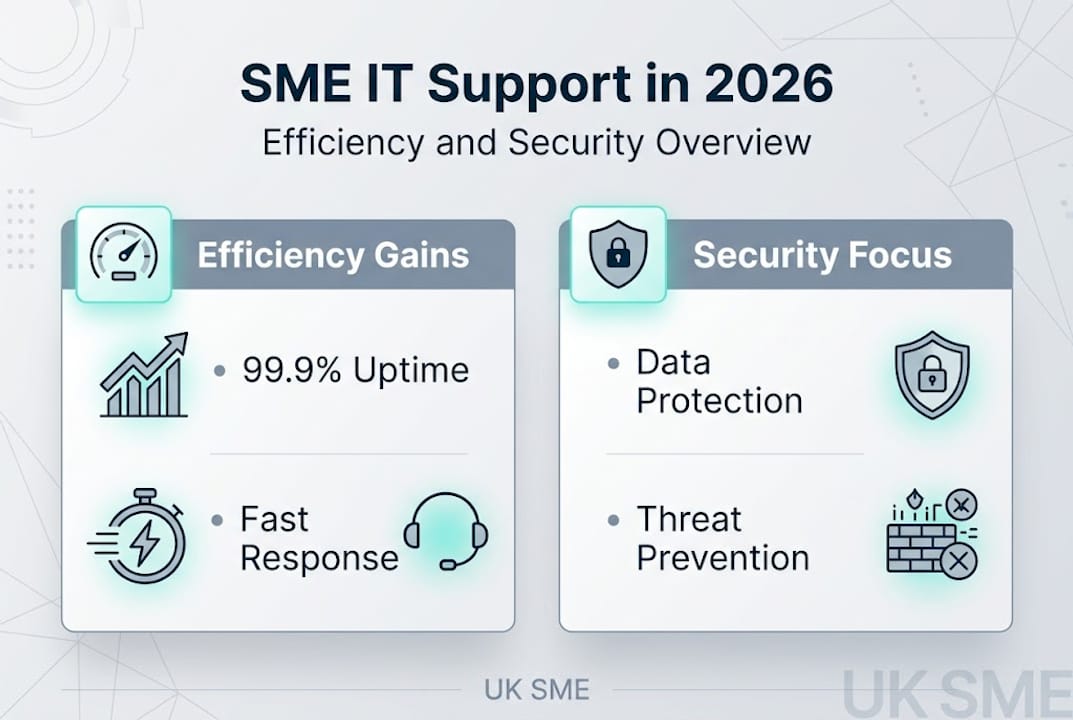
Managed IT support costs £30 to £90 per user per month and is typically 40 to 60% cheaper than hiring in-house IT staff for teams under 50 people. Break-fix support runs £75 to £150 per hour but accumulates far higher total costs when you include downtime losses. Proactive support prevents 80 to 90% of issues before they cause downtime, which is where the real ROI lives.
Factors that drive ROI from IT support investment include:
- Uptime improvement: Every hour of prevented downtime at £800 to £3,500 per hour is direct savings.
- Staff productivity: Fewer IT interruptions mean more focused work hours across your entire team.
- Risk reduction: Avoiding a single serious breach can save tens of thousands in recovery costs and legal fees.
- Compliance readiness: Meeting Cyber Essentials or ISO 27001 requirements opens doors to larger contracts and better insurance rates.
- Scalability: A good managed provider grows with you, adding capacity without the overhead of additional hires.
Pro Tip: Before signing any IT support contract, request a copy of the Service Level Agreement and check three things: guaranteed response times, uptime commitments, and escalation procedures. These details reveal how seriously a provider takes accountability.
When evaluating potential partners, use this checklist:
- Do they have experience with businesses in your sector?
- Can they provide references from UK SMEs of similar size?
- Is cybersecurity included as standard or sold as an add-on?
- Do they offer a clear onboarding process?
- Are their support hours aligned with your working patterns?
Exploring effective IT management strategies gives you a practical lens for evaluating whether a provider's approach matches your operational reality.
The uncomfortable truth: IT support as a business enabler, not just expense
Having explored the practical details, let's shift to a perspective that most SME leaders overlook. The most common mistake we see is treating IT support as overhead to be minimized rather than capability to be invested in. That mindset leads to under-resourced systems, reactive firefighting, and a technology environment that slows growth instead of enabling it.
The benchmark should be 99.9% uptime, which translates to less than 9 hours of downtime per year. Cyber Essentials adherence reached 30% in 2025 and is now a practical requirement for insurance coverage and many public sector contracts. These are not aspirational targets. They are table stakes for any SME that wants to scale.
The businesses that grow fastest are not the ones spending the least on IT. They are the ones whose technology infrastructure is so reliable that their teams never think about it. That reliability is built through consistent, proactive investment, not through hoping nothing breaks.
Business-wide adoption matters more than most leaders realize. When cybersecurity and IT hygiene are owned only by the IT department, they fail. When every team member understands their role in protecting systems, the entire organization becomes more resilient. How technology drives UK business growth is not a mystery. It starts with treating IT support as a strategic asset.
Discover reliable IT support solutions for your SME
If this article has shifted how you think about IT support, the next step is finding a provider that matches your ambitions. Managed IT support should feel like a genuine partnership, not a vendor relationship.
Mighty Sky Technologies delivers tailored IT support for UK SMEs, covering managed services, cybersecurity, cloud management, and IT consultancy under one roof. Whether you are reviewing your current provider or exploring managed support for the first time, the team is ready to help you build a technology environment that drives efficiency and protects your business. Request a consultation today and see what proactive IT support looks like when it is built around your specific goals.
Frequently asked questions
What are the main benefits of proactive IT support?
Proactive IT support prevents 80 to 90% of issues before they cause downtime, reducing costs, cyber risks, and productivity losses for SMEs. It also includes ongoing compliance and security management that reactive models simply do not provide.
How much does IT support cost for a typical UK SME?
Managed IT support typically costs £30 to £90 per user per month and is 40 to 60% cheaper than maintaining in-house IT for teams under 50 staff. Break-fix hourly rates appear lower but generate higher total costs through unplanned downtime.
What types of cyber threats do SMEs face most often?
Phishing is most common among UK SMEs, but ransomware, malware, and supply chain attacks are growing threats that require layered defenses rather than a single security tool.
Is IT support necessary for micro-businesses with fewer than 5 staff?
Reactive support may be sufficient for very low-risk micro-businesses, but any firm handling customer data or planning to grow will benefit significantly from proactive managed services.
Why is business-wide ownership of cybersecurity important?
Cybersecurity requires adoption across every team, not just IT, because supply chain attacks and phishing target employees at every level of the organization. A single uninformed staff member can bypass even the strongest technical defenses.